

Grab Any Sound with Our Free Instagram Audio Downloader
Our free Instagram audio downloader lets you save sound from Reels.
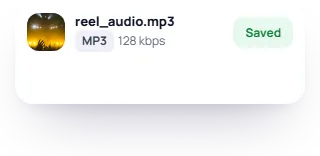
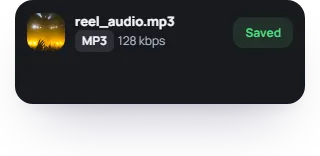
You don't need to make an account. FastSocial's Instagram audio downloader saves the sound from a public Reel or video post.
How to use FastSocial's Instagram audio downloader
Listen to your favorite clips without Wi-Fi or jump on a trending sound. Our Instagram audio downloader is simple to use.
-
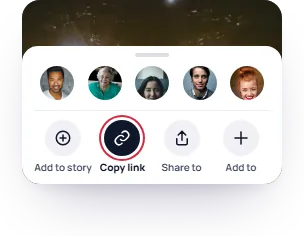
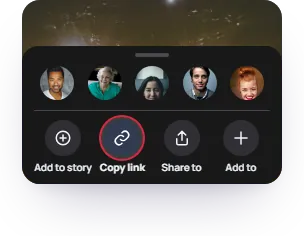
Copy the post link
Open the post in Instagram, tap Share, and choose Copy link.
-


Paste the link in our tool
Add the link to our tool and hit Get audio.
-
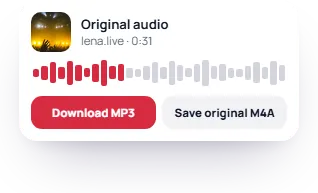
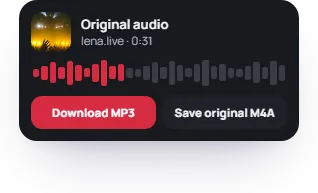
Preview and save
Listen to the preview, then download it! You can save it as an MP3 or, when it's available, the original M4A.
You can snag audio from Reels, video posts, and even old IGTV videos. You can use the full link or the short code (the letters and numbers at the end). Whatever is easier!
If the post has more than one video, you'll get a sound file for each one.
Should you save an MP3 or M4A?
Our Instagram Reels audio downloader gives you two file options. The best format comes down to what you need.


MP3s are easier to play and edit
An MP3 plays well on most phones, music players, and car stereos. It also works great with a lot of editing apps. For clips under 20 minutes, your browser creates a 128 kbps file on your device. Nothing gets uploaded to FastSocial. The MP3 is made from the original Instagram audio. So, quality can't get better than that.


M4A keeps Instagram's original sound
M4A gives you the Instagram audio without any changes. These files are best for editing and backing up your files. M4As also work on most music players. Not all Reels have this option. You'll get an MP3 instead.


Discover the artist behind a new song
A Reel only contains the part of the song used in the video. If someone talks over the music, you'll hear their voice in your download too. If you want the full song, you'll need to buy it or find it on your streaming app.
We'll show you the title and artist if they're available. A creator's original music may be labeled Original audio with their username.
Some posts might not have audio
Our Instagram Reel audio downloader can only get sound from public videos.


It's a photo post
Photos don't have their own sound, even when music plays with them.


The video is silent
If there's no sound, we can't make an MP3 out of nothing.


A private or deleted post
If an account is private, we can't access it. If the post no longer exists, we can't open it.
Make a favorite sound your ringtone
Create fun custom ringtones from any public Instagram video. On Android, go to Sound settings and pick the file from your downloads. On iPhone, open it in GarageBand and export it as a ringtone.
Is it legal to download Instagram audio?
If you want to use someone else's music or sound in a video, movie, or ad, you may need their permission. Instagram lets you add songs to your own Reels through its music library. Always check copyright rules.
FastSocial isn't affiliated with Instagram or Meta.


Instagram audio API
Use our Instagram audio API to add Reel sounds to your app. Send the ID from an Instagram audio link to get the sound details. You'll see the title, artist, length, audio link, and Reels that use it. 1 credit a call. Free plan: 50 credits a month, no card.
GET /v1/audio?id=28784844067777520
X-API-Key: your_key
Frequently asked
Is the audio downloader free?
Yes. You can fetch up to 60 links a day on the same internet connection. That limit is shared with our other Instagram downloaders. Making the MP3 doesn't count toward it.
Can I get audio from Instagram Stories?
Not with this tool. Use our Instagram downloader to get a public Story as a video with its sound. It won't turn that Story into a separate MP3.
Does the downloader work on iPhone?
Yes. It works in Safari and other browsers on iPhone, Android, and computers. You don't need to install anything.
Will the MP3 show the song title in my music app?
Not by itself. The MP3 doesn't have song title tags or cover art. Its file name uses the account and post ID, so you can tell where it came from.
Can I save the video too?
Not on this page. For the full clip, use our Instagram Reel downloader to save the Reel as an MP4 with its sound.
Pull the audio straight from a Reel
You don't need another app to save sounds. Our free Instagram audio downloader makes it easy to collect your favorite sounds from Instagram. We don't need any of your personal information.
Thank you for your review.
Updated