
Instagram Grid Maker
Make an Instagram grid from one photo.
What are you making?
Grid size
Number of slides



Crop your photo
Drag to move the frame. Pinch, scroll or use the slider to zoom.
Slide shape
How it looks on your profile
This Instagram grid maker splits one photo into 3 to 18 tiles that join up on your profile, or a wide photo into 2 to 10 carousel slides. It's free, with no account and no watermark, and it runs in your browser, so your photo is never uploaded.
How to make an Instagram grid
-
Upload your photo. Keep faces and small text away from where two tiles meet. The profile leaves a thin gap between posts and it cuts straight through them.
-
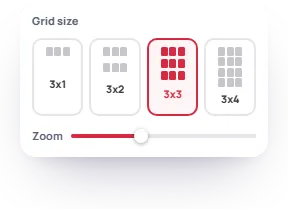
Pick the size. 3x3 is nine posts, and every row after that is three more. Drag the frame to move it, and pinch, scroll or use the slider to zoom.
-
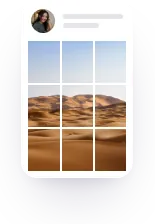
Check the preview. "How it looks on your profile" shows the tiles with the gaps between them.
-
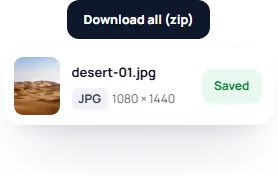
Download. Get every tile in one zip, or press Save on a single tile.
-
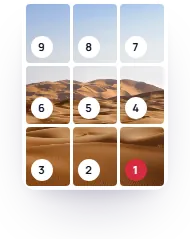
Post in number order. Tile 1 is the bottom-right piece. The newest post always lands top-left, so the last tile you post ends up there.

Why our tiles are 3:4
Since January 2025 the profile grid shows every post as a 3:4 tile, not a square. Most grid makers still cut 4:5 or square tiles, which get their sides trimmed on the grid, or pad them with borders so the trim only hits the border. Ours are 1080 x 1440, the tallest shape Instagram posts without cropping, so each post shows the same picture in the feed and on the grid.

Instagram grid sizes for each layout
Designing the picture yourself in Canva or Photoshop? Make it 3240 px wide and 1440 px tall per row:
- 3x1 (3 posts): 3240 x 1440
- 3x2 (6 posts): 3240 x 2880
- 3x3 (9 posts): 3240 x 4320
- 3x4 (12 posts): 3240 x 5760
- 3x5 (15 posts): 3240 x 7200
- 3x6 (18 posts): 3240 x 8640
A smaller photo still works, it just gets softer. Templates sized 3240 x 4050 were made for the old 4:5 grid and lose their edges on today's profile.

What if my photo is a different shape?
The grid takes the biggest part of your photo that fits the layout, and you choose which part with the frame. Nothing gets squashed and no borders are added. If you need the whole photo in, with space around it, add the space in a photo editor first and split that.
How to keep your grid lined up
- Post the tiles one after another, with nothing else in between. A few minutes apart is fine.
- Every later post shifts the whole picture one spot, so keep posting in threes.
- Pinned posts stay at the top of the grid and split the picture. Unpin them.
- Edit or filter the whole picture before you split it, not each tile.
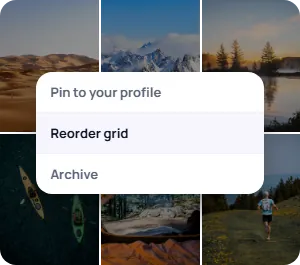
- Tile in the wrong place? Press and hold any post on your profile, press Reorder grid and drag it.
How to post a panorama carousel
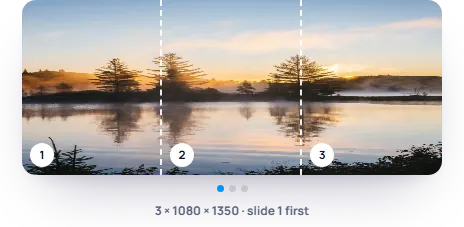
Switch to Carousel and pick how many slides you want. Each one is 1080 px wide. The tool picks 4:5 or square to fit your photo, and you can change it. Three 4:5 slides need a photo of about 3240 x 1350. Post all the slides in one post, slide 1 first. They all come out the same shape, so Instagram doesn't crop any of them. A carousel holds up to 20 photos or videos.
Frequently asked
How are the files named?
They're JPGs named after your photo, in posting order: beach-01.jpg, beach-02.jpg and so on. The number is only in the file name, nothing is drawn on the image.
Why do my tiles look blurry after posting?
Instagram compresses every upload. Post the tiles as they are, not screenshots of them, and turn on Upload at highest quality in the app under Settings, Data usage and media quality.
Can I make a 2x2 grid?
No. A profile is 3 columns wide, so every grid here is 3 across, from 3x1 to 3x6.
Do I need an app to make a grid on my phone?
No. It works in your phone's browser. On iPhone, open the zip in Files.
Can it split a video?
No, photos only.
Does it post the tiles for me?
No. You post them yourself.
Thank you for your review.
Updated